
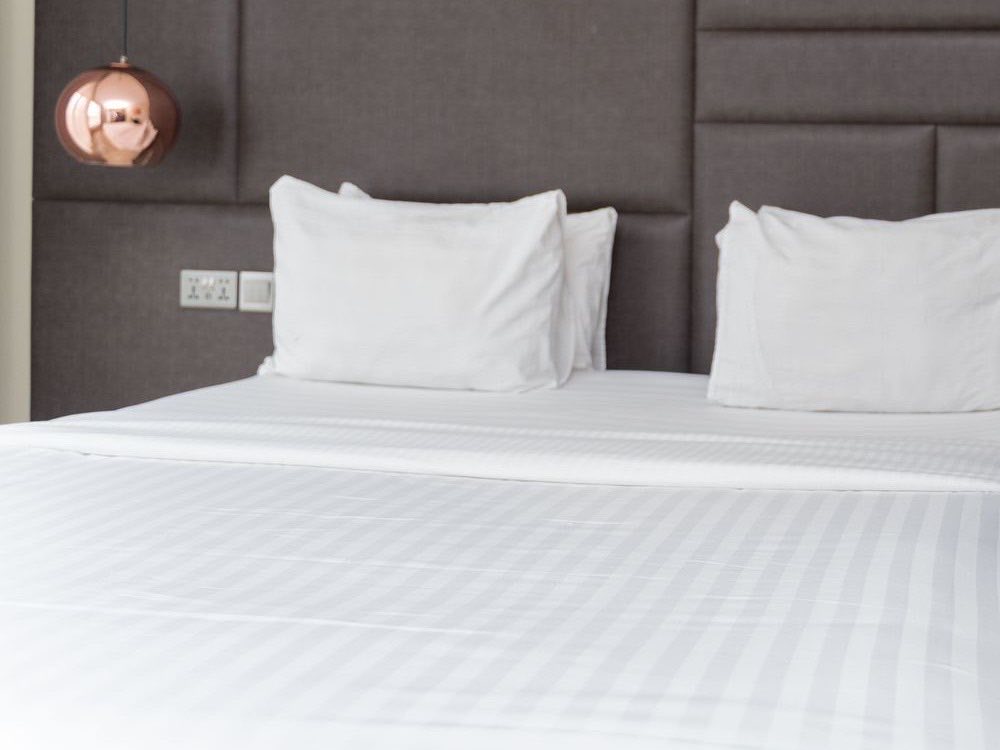
What is a pictorial SOP?
A pictorial SOP, also called a visual SOP or photo SOP, is a standard operating procedure that tells the job through pictures. Each step has a photo of the right set-up or action and one short instruction beside it. The reader copies what they see and checks the result against a final photo.
For a hotel, this matters because many of the standards that guests notice are visual: how a bed is dressed, where amenities sit, how a buffet looks before service. Words describe these badly. A photo settles the argument in a second.
What is a video SOP?
A video SOP is a short film of the same procedure, split into chapters with captions on screen. Think of one clip per task, with chapters such as machine position, cups and syrups, and final check. Team members can jump to the chapter they need and replay it.
Pictures and video suit different moments. Photo steps work at the station while someone is doing the job. Video helps when movement matters, such as folding a towel swan or carrying a tray, or when you want to show timing and pace. Many hotels use pictorial SOPs for set-ups and video SOPs for technique. Our pictorial and video SOPs page shows both formats working side by side.
When do pictures beat text?
Text still has a place, and a master written SOP remains the record. Pictures win in a few clear situations.
- New team members. Someone in their first week does not yet know the vocabulary. A photo needs none.
- Mixed languages. A SOP for multilingual teams does not need a translation of every line when the picture carries the meaning. Short captions in each team's language are enough.
- Set-ups where the finished look matters. Room set-up, amenity placement, buffet layouts and table settings are judged by how they look. A photo is the standard.
- Tasks done infrequently. A procedure used once a month is easy to forget. Photos bring it back quickly.
- Several hotels, one brand. Pictures help every property read a standard the same way.
Text is usually better for rules, legal wording, safety limits and decisions. A pictorial SOP can carry a one-line rule, but it should not replace the written policy behind it.
What does a good pictorial SOP contain?
A useful pictorial SOP has the same parts every time, so people learn how to read it once.
- A step photo. Taken in the real place, with good light, showing the exact object or position. A marker points to what matters.
- One instruction. One action per step, in plain language, short enough to read at a glance.
- An acceptance photo. The finished result, so the person doing the work and the person checking it use the same picture.
- An owner. A named role responsible for keeping the SOP right, such as the food and beverage supervisor.
- A linked standard. A reference to the brand standard or master SOP the steps come from.
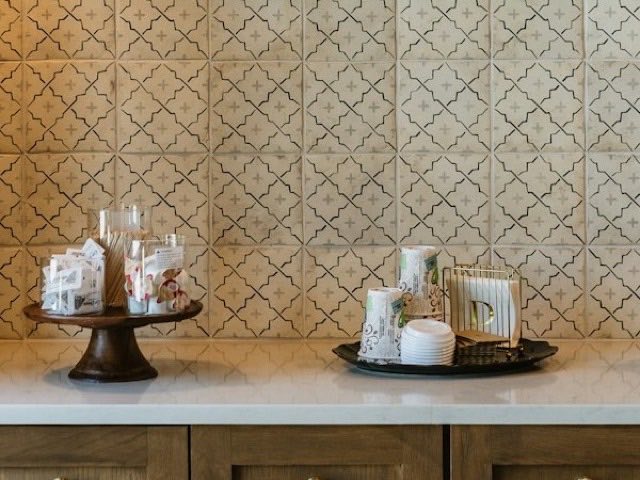
2Set cups by size on the tray beside the machine, lids stacked.
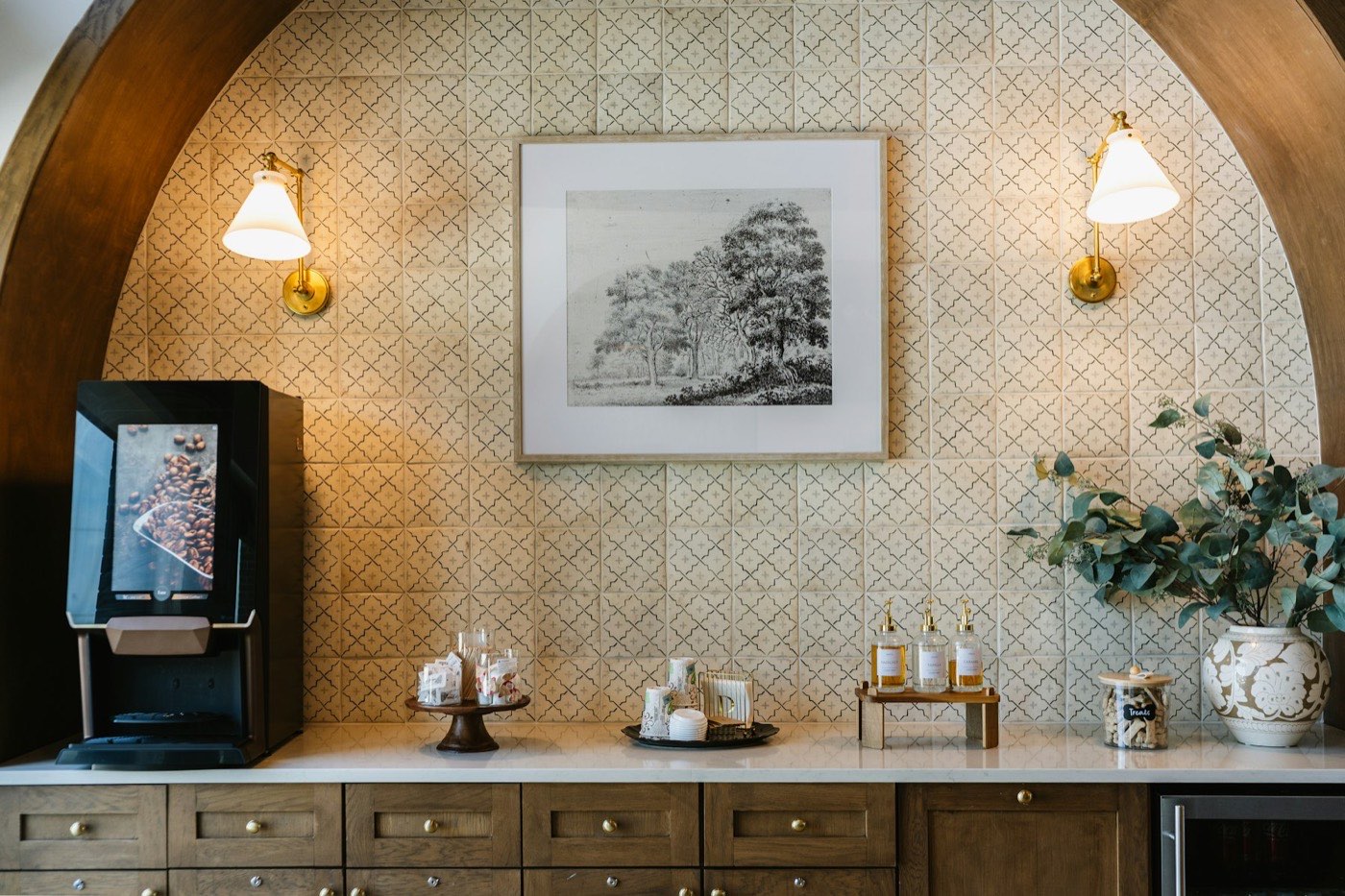
Acceptance photo
The finished station should look like this.
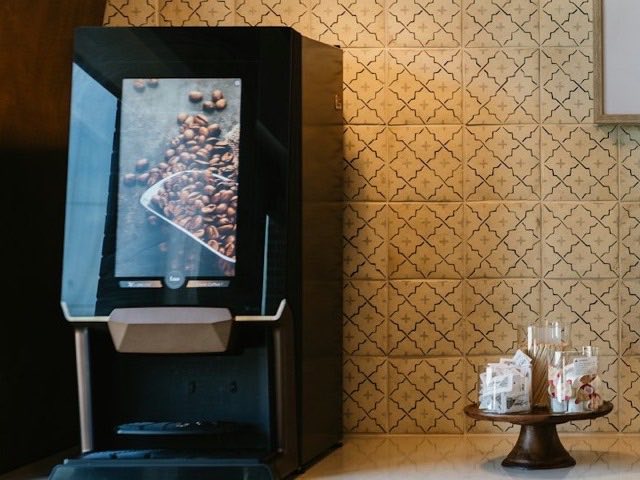 1 Machine
 3 Syrups
The example above is for a fictional beverage station. The numbers and the reference code are example values. Your own steps should come from your own property and your own standard.
How do you convert a text SOP into a pictorial SOP?
You can do this one SOP at a time. Start with one that causes the most questions or inconsistency.
- Read the text SOP with the people who do the job. Mark where the text is vague or where teams do it differently.
- Split the procedure into single actions. If a sentence contains two actions, make two steps.
- Decide which steps need a photo. Set-up and placement steps almost always do. Rules and decisions may stay as a text line.
- Shoot the photos in the real location, with one agreed set-up. Use the same angle and light across steps where you can.
- Add a marker to the object that matters, and write one short instruction per photo.
- Add the acceptance photo, the owner and the link to the standard.
- Test it with someone who has never done the task. Where they hesitate, fix the photo or the wording.
- Translate only the short captions if your teams work in more than one language.
GDI does this for hotels as part of SOP development, converting existing PDF, Word or Excel SOPs and writing the ones that do not exist yet. If you are starting from a blank page, our guide to a hotel SOP template gives you the written structure first.
How do you keep a pictorial SOP current?
Photos go stale faster than text. A new bedspread, a change of cups or a refit makes a step photo wrong overnight. Three habits help.
- Give every SOP an owner and a review date, and review after any rebrand, renovation, change of supplier or audit finding.
- Keep the text, pictures and video on one record, so a change to the master prompts a change to the pictures.
- Record who changed what and when, and tell the people affected.
Doing this with files in shared folders is hard, because old copies survive on phones and printouts. In GDI's digital ecosystem, the pictorial and video versions sit on the same record as the standard, and a change notifies the right users. See how that works.
How does a pictorial SOP link to brand standards and audits?
A brand standard says what must be true: for example, that the beverage station is complete and tidy before the lobby opens. The SOP says how the team gets there. The pictorial SOP shows it. Linking the two keeps everyone working from one source.
The same photos help at audit time. A self-inspector or an auditor can hold the acceptance photo against what they see and judge the result consistently, rather than on opinion. When an audit finds a gap, you can usually tell whether the standard was unclear, the SOP was missing a step or the team was not trained, and fix the right one. If your standards need work first, read how to write hotel brand standards, and see how room photos work in our guide to hotel room setup standards.