
Everything the platform does for your hotel standards and SOPs
Part of the world's first complete digital ecosystem for brand standards and SOPs. Here is each feature, grouped by the job it does, with the screen where you would use it.
Illustrative interface. Hotels, names and data on these screens are fictional.
Repository and access
One home for every standard and SOP, open to the people who need it and no one else.
- Centralized repository
- One library for corporate, regional and hotel teams and process owners, across the three modules: brand standards, SOPs, and room setup and inventory placement.
- Secure, role-based access
- Decide who can view, edit or approve, at corporate, regional, hotel and department level.
See the modules in the digital ecosystem overview.
Roles and access
Add a role| Role | Scope | View | Edit | Approve |
|---|---|---|---|---|
| Corporate standards teamWhole brand | Brand | |||
| Regional operationsTheir region | Region | |||
| Hotel teamTheir property | Hotel | |||
| Process ownerTheir department | Department |
Try the switches. Each role gets its own view, edit and approve rights.
Food and beverage / Beverage stations
Beverage station setup
How Preparation
- Materials
- Bean-to-cup machine, cups and lids, stirrers and sweets, three syrups
- Timing
- Ready 30 minutes before service opens
- Owner
- Lobby host
- Syrups
- Hazelnut, vanilla, caramel, labels facing out
Where Execution
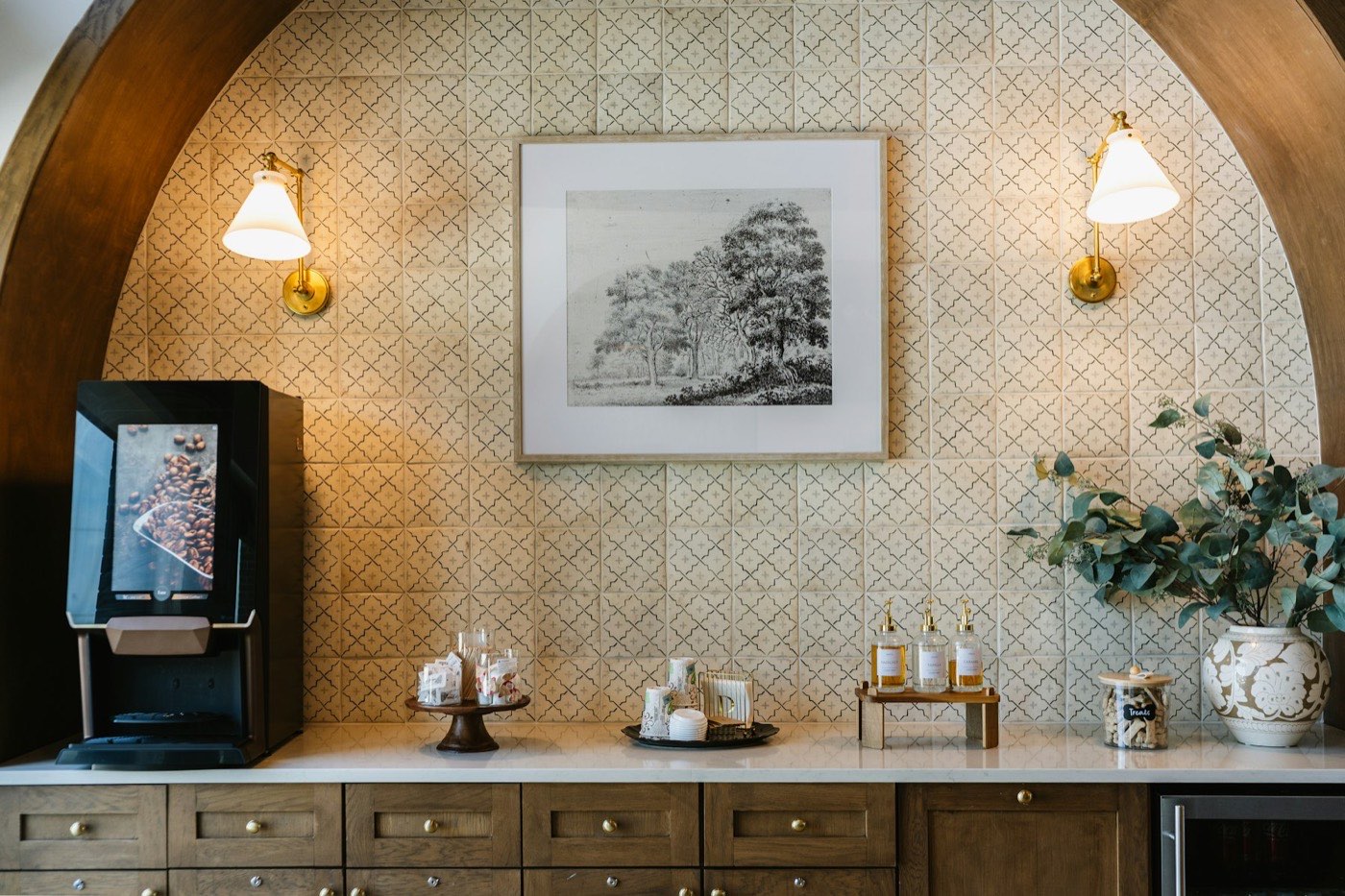 1234
- 1Machine
- 2Sweets stand
- 3Cups and lids
- 4Syrups
Linked SOP: SOP FB-07 Beverage station service
Text, photo and numbered markers on one screen. The same standard can also be read as picture steps or watched as video.
Execution
Standards that people can follow without guessing.
- Visual and detailed execution
- Every standard carries text, images and video, so a team member sees what good looks like.
- Guided execution: How
- Preparation, materials, timing and responsibilities for each standard.
- Guided execution: Where
- Location-specific placement, shown by photo or video.
Picture-step and video formats: pictorial and video SOPs. Placement photos: room setup and inventory placement.
Change control
Change a standard with control, then tell everyone at once. Every update is versioned, approved if you want it to be, and sent to the right people automatically.
- Feedback and approval flows
- Hotel teams send feedback, approvers review, and notifications keep everyone informed.
- Real-time updates and automated emails
- When a standard changes, every relevant user gets an email with the details.
- Standard history log
- Who changed what, and when, recorded for every standard.
- Version control with revert
- Every version is stored. Open any earlier version, compare it, or restore it.
v3.3 compared with v3.2
History and revert. Pick a version to compare it with the one before, then restore it.
- Draft
- In review
- Approved
- Published
Caramel syrup added after the menu change, and timing moved to 30 minutes. Please approve before rollout.
Our counter is shorter. Can the sweets stand sit to the right of the cups?
Updated standard: Beverage station setup
Version 3.3 is live. What changed: syrups, timing.
Approval and notification. Approve the change and see the automated email and the toast that go out.
Find and export
Get to the right standard in seconds, and take it with you in the format you already use.
- Powerful search and filters
- Search by keyword. Filter by hotel, department, date range, newly added and last updated.
- Export as PDF or Excel
- Export by department or the full set, in your own format.
6 results
 Beverage station setupFood and beverageBeverage stations · todayUpdated
 Arrival welcome at the deskFront officeArrival · todayNew
 Turndown service: bed and amenity setupHousekeepingTurndown · 12 NovApproved
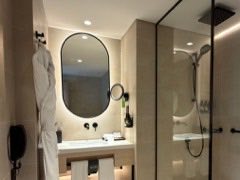 Bathroom amenity placementHousekeepingBathroom · todayNew
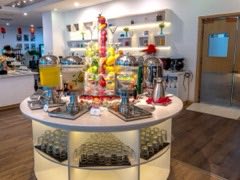 Breakfast buffet layoutFood and beverageBreakfast · 6 NovCurrent
- Beverage station serviceFood and beverageSOP FB-07 · todayNew
No standard matches. Clear the search or choose All.
Search and filters work across standards, SOPs and room setups.
Export by department or the full set, as PDF or Excel, in your format.
Harbour Quay
F&B
Housekeeping
Front office
Spa
F&B
Beverage station setup
123Where. Machine at the left end, cups and lids on the tray, syrups to the right.
How. Ready 30 minutes before service opens.
Send feedbackUpdates
Beverage station setup, v3.3. What changed: syrups, timing.09:14
Turndown sequence v2.1 is live.Yesterday
Mobile app
A mobile app puts the current standard, with its photos and video, in the hands of the team doing the work.
- Library and search on the phone
- Find any standard by keyword and open it in text, photo or video.
- Updates as they happen
- Published changes reach the team, with a note on what changed.
- Feedback from the floor
- Send a comment to the approver straight from the standard.
Flexible implementation
Manage one property, a region or your entire brand. Deploy to several properties, or all of them, in one go.
- Choose your scope
- Start with a single hotel, a region or the whole brand.
- Deploy in one go
- Send the same standards to several properties, or the whole brand, at once.
Fictional hotel names. Choose a scope to see which properties receive the update.
Questions about the features
Something else? Write to [email protected], or read the digital ecosystem overview.
Can we change a standard and tell every hotel at once?
Yes. Update the standard and the platform sends an automated email to every relevant user with the details. You can deploy to several properties, or the whole brand, in one go.
Can we go back to an earlier version of a standard?
Yes. Every version is stored and the history log shows who changed what and when. Open any earlier version and restore it.
Can approvals be required before a change goes live?
Yes. Built-in feedback and approval flows send notifications to the right people, and role-based access controls who can view, edit or approve.
Can we export our standards?
Yes. Export by department, or the full set, as PDF or Excel in your own format.
How do hotel teams find the right standard quickly?
Search by keyword, then filter by hotel, department, date range, newly added or last updated. A mobile app is available for teams on the move.
Do we have to roll out to the whole brand straight away?
No. Manage a single property, a region or your entire brand. Start where it suits you and widen the scope later.
See your standards in one system
Tell us how your standards and SOPs are kept today. We will show you how they could run in the platform.