
Turn long text SOPs into picture steps and video
A new team member should not have to read three pages to set up a station. GDI converts your existing SOPs into pictorial and video versions that show each step, then keeps them linked to the standard they belong to.
 123
Words say what to do. Pictures show where it goes.
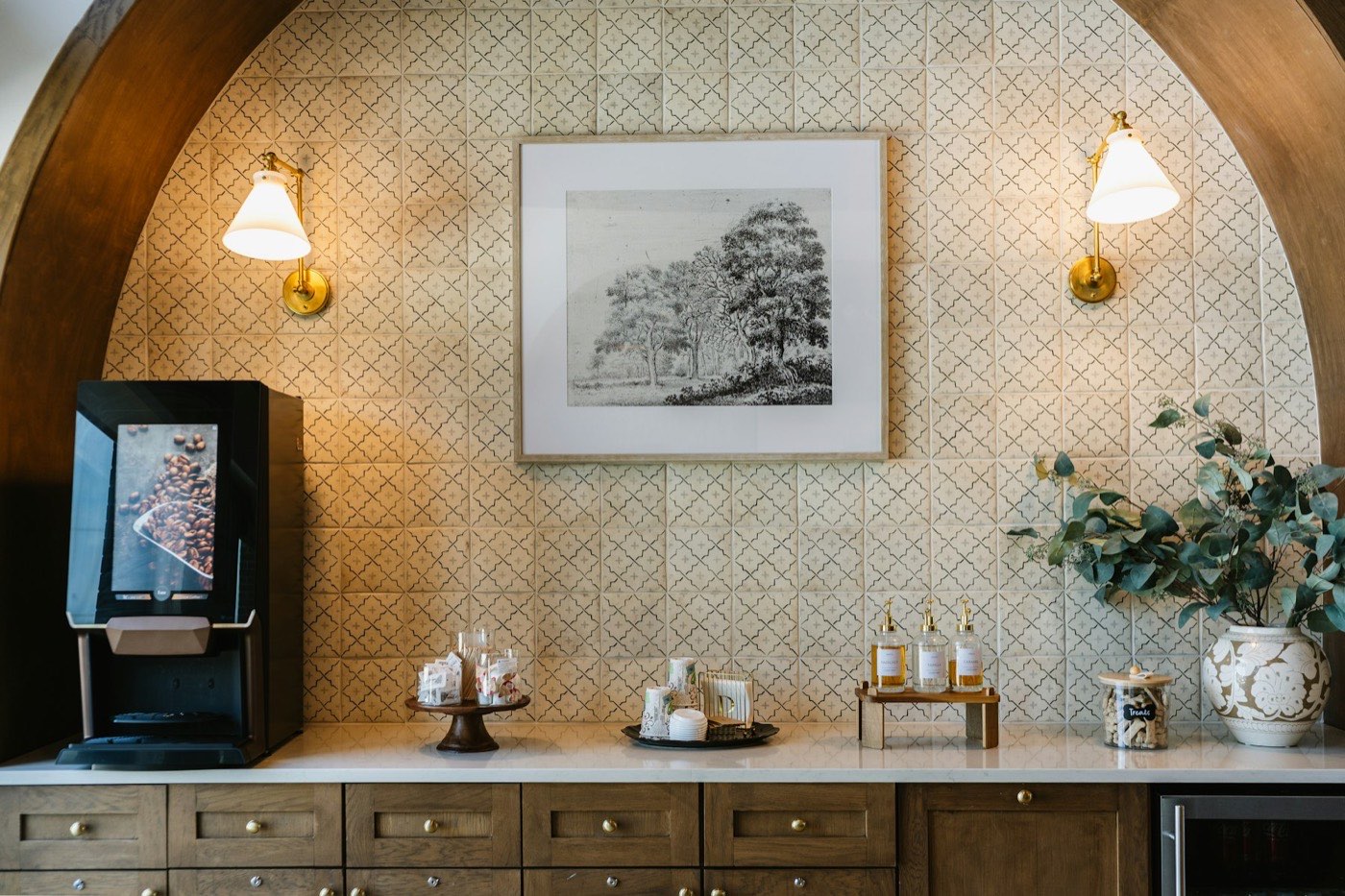
A text SOP is the right record, but it asks a busy team member to read, picture the result and hope they matched it. Standards often come down to placement: where the machine sits, how the cups are stacked, which way the labels face.
A picture-step SOP shows that placement in one look. A video SOP shows the same job in motion, with chapters you can jump between. Both stay attached to the standard, so the text, the pictures and the video never drift apart.
Text SOP
The written procedure, kept as the master record.
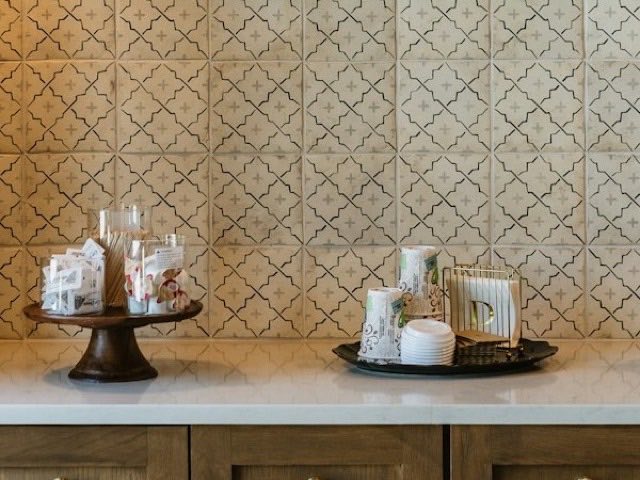
Pictorial SOP
One photo per step, with a numbered marker on the object.
Video SOP
The job in motion, split into chapters.
What a pictorial SOP contains
Each step has a photo, a numbered marker on the object that matters, a short instruction and a check line. Choose a step below to see how the text on the left becomes the picture on the right.
Beverage station service
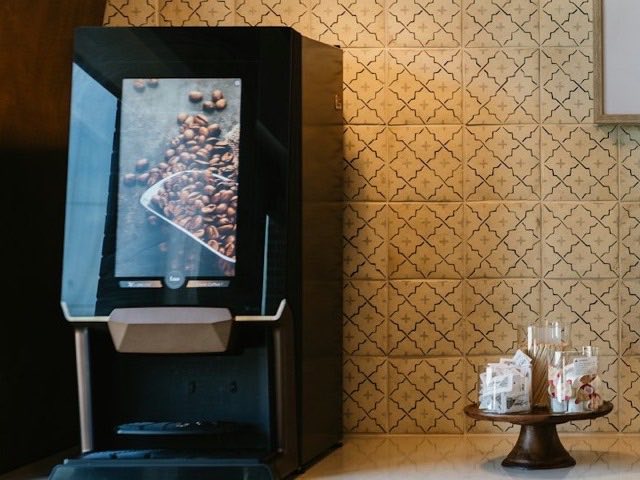
1. Position the bean-to-cup machine at the left end of the counter, drip tray clear.
2. Set cups and lids on the tray beside the sweets stand. Lids stacked, cups by size.
3. Line up the hazelnut, vanilla and caramel syrups with labels facing out.
 1
1Place the machine at the left end of the counter.
Check: drip tray clear.
Illustrative interface. The SOP text, photos and markers are examples built from stock photography, not a real brand standard. Steps 4 and 5 of the text become check lines on the pictures.
- A photo for every step, taken at your property or supplied by your team
- Numbered markers on the exact object or position
- A short instruction in plain language, beside the picture
- A check line so a team member can confirm the result
What a video SOP contains
A short walkthrough of the job, split into chapters, with captions on screen. Press play, or jump to a chapter.
Beverage station service, walkthrough
Chapter 1 of 4
Place the bean-to-cup machine at the left end of the counter, drip tray clear.
Illustrative player. It steps through still photos to show how chapters, captions and the progress bar work. No sound track or real footage is included.
- Chapters that match the steps of the SOP, so a team can replay one part
- Captions on screen for noisy back-of-house areas
- Attached to the standard, so the video updates when the procedure does
How the conversion works with GDI
You do not start from a blank page. We start from the SOPs you already use, in PDF, Word or Excel.
Share your SOPs
Send the documents your teams use today. If a procedure is not written yet, we write it with your teams first.
Choose what to picture
Together we decide which steps need a photo, which need a video and where the placement matters most.
Build and link
We create the picture steps and videos with your teams and link them to the standard, next to the text.
Publish and keep current
Publish to one property, a region or the whole brand. When a procedure changes, update it and notify the teams.
Beverage station setup
123Where. Machine at the left end, cups and lids on the tray, syrups to the right.
How. Ready 30 minutes before service opens.
Updates
Beverage station setup, v3.3. What changed: syrups, timing.09:14
Turndown sequence v2.1 is live.Yesterday
On the floor and on a phone
Teams use pictorial and video SOPs where the work happens. At the station, a new team member follows the photo steps while they set up. In a quiet moment, they replay a chapter of the video.
The mobile app puts the current standard, with its photos and training videos, in their hand. When a standard changes, the platform emails the people affected, so the picture on the phone is always the current one.
- Onboarding and training for new team members
- Ongoing team learning, anytime and anywhere
- Self-inspections against the same picture
Every format belongs to one standard record
The pictorial and video SOPs are not separate files. They sit on the standard record, beside the text, tagged by department and linked to the master SOP. Edit the standard and everything attached to it is in one place.
Beverage station setup
1Machine
2Cups

3Syrups
Questions about pictorial and video SOPs
Something else? Write to [email protected].
Do you convert the SOPs we already have?
Yes. Send us your existing SOPs, in PDF, Word or Excel, and GDI converts them into pictorial and video formats. If a procedure is not written yet, we create it with your teams first.
Do we have to replace our text SOPs?
No. The text, pictorial and video versions sit on the same record, so a team member can switch between them. When the procedure changes, all three are updated against one standard.
What does a pictorial SOP contain?
A photo for each step, a numbered marker on the object that matters, a short instruction and a check line. It shows where things go, not only what to do.
Can teams use them on a phone?
Yes. A mobile app is available, so the current standard, with its photos and training videos, can be opened on the floor at any time.
What happens when a procedure changes?
Update the standard and the platform emails every relevant user with the details. Every version is stored, and the history log shows who changed what and when.
Ready to turn your SOPs into pictures and video?
Tell us which procedures your teams find hardest to follow. We will show you how they could look as picture steps and video.